
Template Types
Soneka supports all three WhatsApp template categories. The right type depends on what you’re trying to send.Standard
Carousel
Authentication (OTP)
Start from a Pre-Built Starter
Building from scratch isn’t always necessary. Soneka ships 71 pre-built template starters organised across 9 industries — ecommerce, healthcare, education, real estate, finance, hospitality, logistics, SaaS, and retail.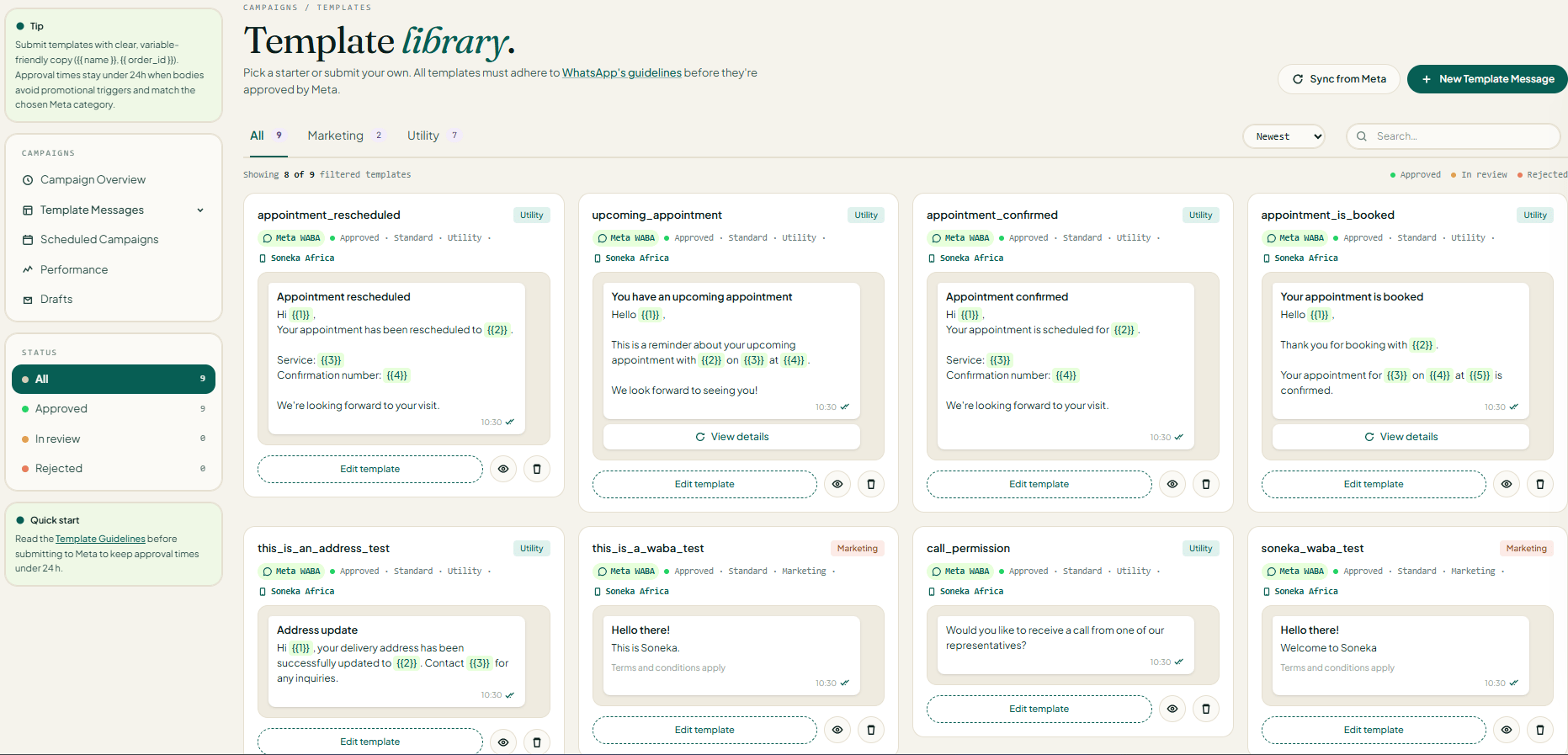
Open the Template Library
Filter by Industry or Category
Clone a Starter
Generate Copy with AI
If no starter fits perfectly, let Soneka’s Build with AI assistant draft a high-converting WhatsApp template from a short brief. Instead of a free-form prompt, you fill in a structured form so the model has the exact context it needs — business, industry, occasion, purpose, action, tone, and language — and returns a submission-ready draft in seconds.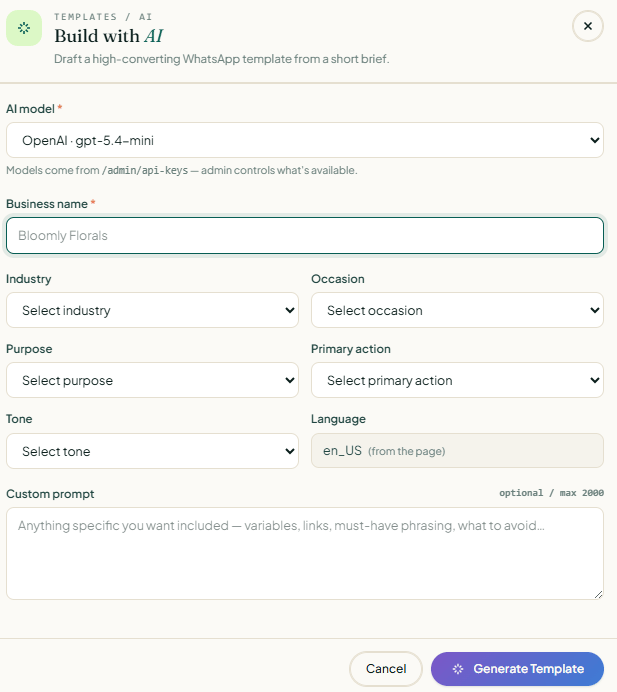
Open Build with AI
Pick an AI model
OpenAI · gpt-5.4-mini). Available models are configured in Admin → API Keys — if the list looks short, ask your workspace admin to enable more.Enter your business name
Select an Industry
Select an Occasion
Select a Purpose
Select a Primary action
Select a Tone
Confirm the Language
en_US (from the page)). Change it only if you want the draft in a different locale — it must match the language code you submit to Meta.Add a Custom prompt (optional)
\{{1}}, links to include, must-have phrasing, legal disclaimers, or things to avoid. Example: “Include \{{1}} for first name and \{{2}} for cart total. Must mention free shipping over R500. Do not use the word ‘guaranteed’.”Generate Template
Review, edit, and lint
Build a Standard Template
The Standard builder is the most common path — text, media, and buttons for marketing and utility templates. It’s split into numbered sections so every Meta requirement has a clear home.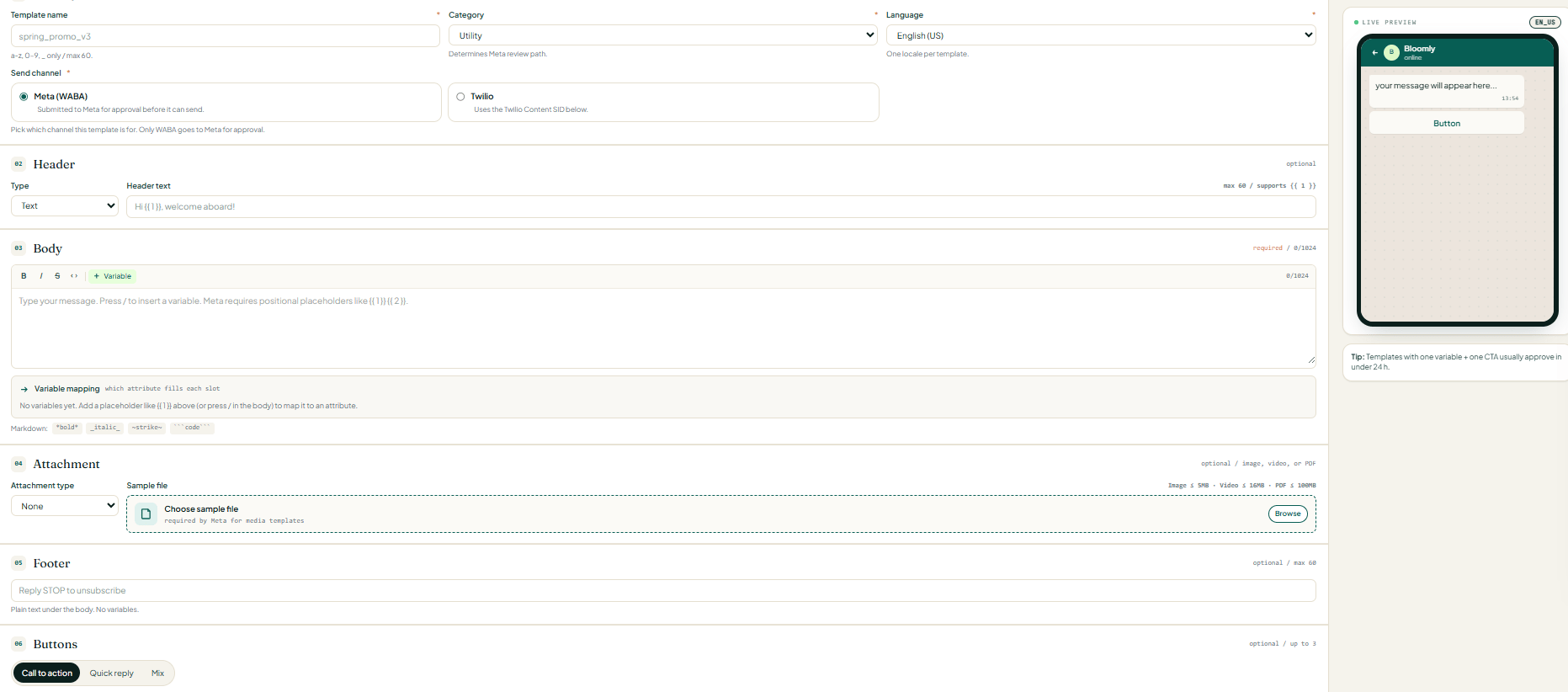
Identity
- Template name — lowercase
a-z, digits0-9, and underscores only. Max 60 chars (e.g.spring_promo_v3). This is the immutable slug Meta uses to reference the template. - Category — Marketing, Utility, or Authentication. This determines Meta’s review path and which content rules apply.
- Language — one locale per template (e.g.
English (US)). To offer multiple languages, create one template per locale under the same name — see Multi-Language Templates. - Send channel — Meta (WABA) (submitted to Meta for approval) or Twilio (uses a Twilio Content SID instead). Only WABA goes to Meta for approval.
Header (optional)
- Text — up to 60 characters, supports one variable like
\{{1}}(e.g.Hi \{{1}}, welcome aboard!). - Image / Video / Document — upload a sample file in the Attachment section below; the header renders that media type at the top of the message.
- None — omit the header entirely.
Body (required)
code, or click + Variable (or press /) to insert positional placeholders like \{{1}} \{{2}}.Below the body, the Variable mapping row lets you point each placeholder at a contact attribute (first name, order number, cart total, etc.) so it fills in automatically at send time.Attachment (optional)
None for text-only templates.Footer (optional)
Reply STOP to unsubscribe, business hours, or a legal disclaimer. Required opt-out language for Marketing templates lives here.Buttons (optional, up to 3)
- Call to action — up to two: a URL button (with an optional variable in the URL) and/or a phone button.
- Quick reply — up to three tap-to-reply buttons that send a pre-set text response back to Soneka (great for routing to a flow).
- Mix — combine one CTA with quick replies, up to three total.
Save draft or Submit for review
Build a Carousel Template
Carousel templates let you send up to 10 horizontally scrollable cards in a single message — each with its own image, title, body, and button. They’re ideal for product collections, multi-property listings, tiered offers, or a “pick one of these” experience.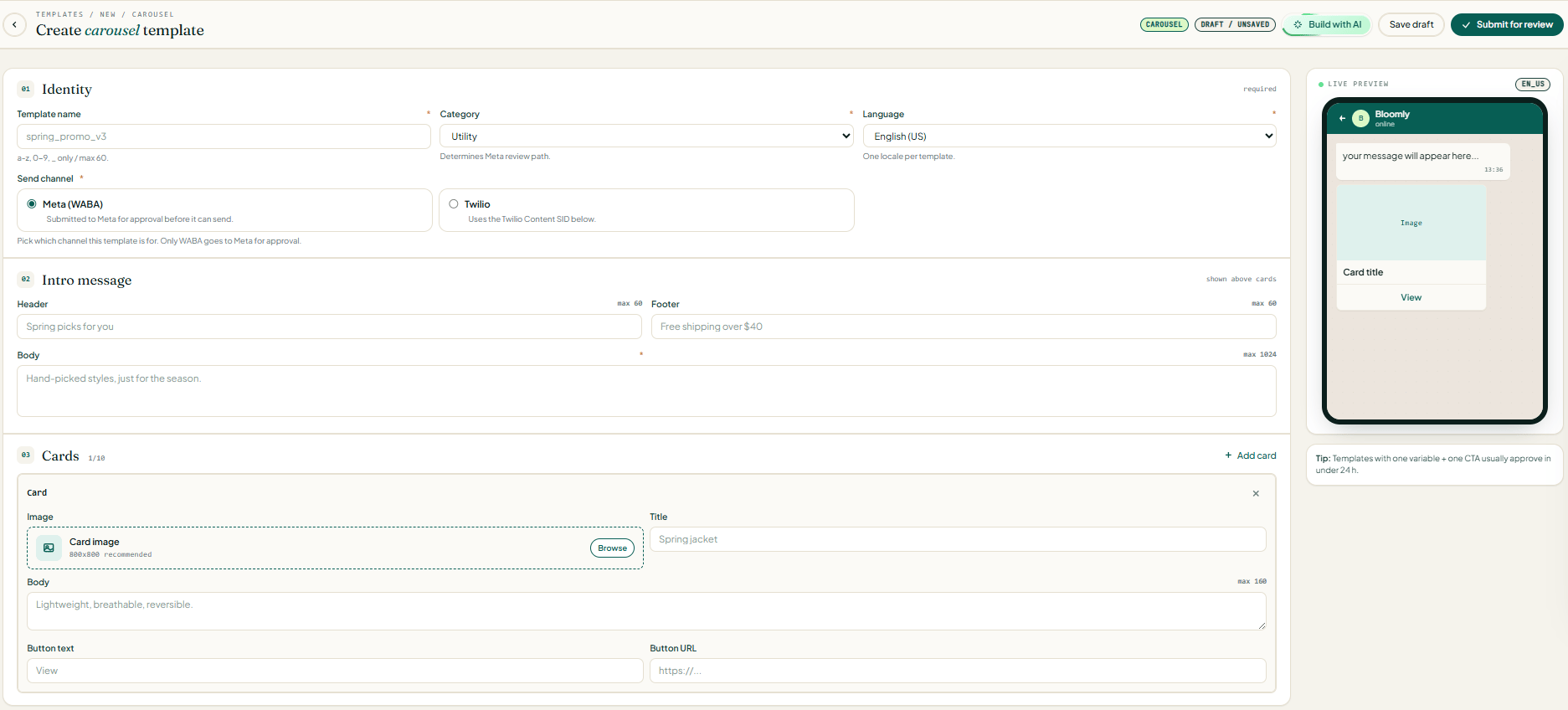
Identity
Intro message (shown above cards)
- Header — short line above the body (max 60 chars, e.g.
Spring picks for you). - Body (required) — the lead-in sentence (max 1,024 chars, e.g.
Hand-picked styles, just for the season.). - Footer — small print under the body (max 60 chars, e.g.
Free shipping over $40).
Cards (1–10)
- Image — click Browse to upload.
800×800px is recommended; keep every card the same aspect ratio. - Title — short headline shown under the image (e.g.
Spring jacket). - Body — one or two lines describing the card (max 160 chars, e.g.
Lightweight, breathable, reversible.). - Button text — the CTA label shown on the card (e.g.
View,Shop now,Book). - Button URL — the destination link (
https://…). You can include a\{{1}}variable in the URL to personalize per recipient.
Reorder or remove cards
1/10) tracks how many you’ve added.Save draft or Submit for review
- Minimum 2 cards, maximum 10.
- Every card must have the same components (all with a button, or none — no mixing).
- Image dimensions and aspect ratios should match across cards for a clean scroll.
- Carousel is supported on the WhatsApp Cloud API (Meta WABA) send channel. Twilio carousel support varies by account — check your Twilio console before choosing it.
Edit Variables and Preview Live
Template variables are written as{{1}}, {{2}}, and so on. In the editor, each variable is highlighted inline and listed in a Variables panel on the right, where you can set a sample value (required by Meta for submission). The WhatsApp Preview pane on the right side of the editor renders your template in real time — exactly as it will appear on a customer’s phone — updating with every keystroke.
Pre-Validation Lint Check
Before you can submit, Soneka runs your template through 30+ automated lint rules modelled on Meta’s own approval criteria. The check runs on save and again when you click Submit. Common issues flagged by the linter include:- Uppercase body text exceeding 30% of total characters
- Missing or malformed opt-out language in marketing templates
- URLs in the body that don’t match a verified domain
- Variable placeholders with no sample value supplied
- Promotional language in utility templates (which can trigger category misclassification)
- Auth templates with custom body copy (not permitted by Meta)
- Carousel cards with mismatched button types across cards
Submit to Meta and Track Status
Pass the Lint Check
Submit
Track Approval
If Rejected
Multi-Language Templates
To reach customers in their preferred language, Soneka lets you create language variants of any template from the same dashboard.- Manual Translation
- AI Auto-Translate
Frequently Asked Questions
How long does Meta approval take?
How long does Meta approval take?
Why was my template rejected?
Why was my template rejected?
Can I edit an approved template?
Can I edit an approved template?
How many templates can I have?
How many templates can I have?
What's the difference between Marketing and Utility?
What's the difference between Marketing and Utility?
Are carousel templates available on all plans?
Are carousel templates available on all plans?